Western Digital drives are the most common in our stock. For a donor drive or a PCB you need these values from the label and the board.
What is on a WD label
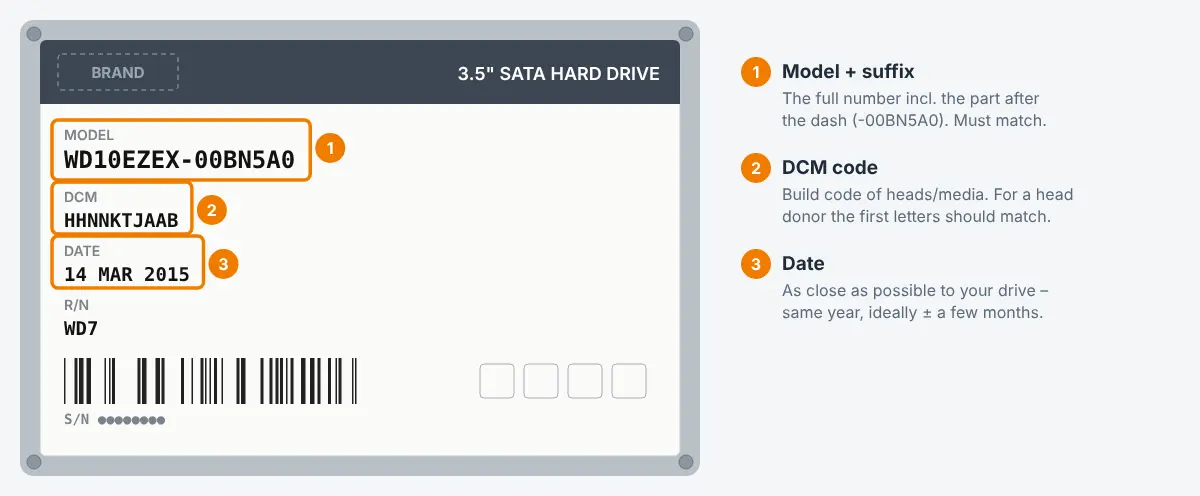
| Field | Example | Meaning |
|---|---|---|
| Model (MDL) | WD10EZEX-08WN4A0 | The part after the dash describes the internal version. Always compare the complete model. |
| DCM | HHRNHTJMAB | Internal build code: which heads, platters, motor and board variant were used. The most important value for donors. |
| Date | 15 MAR 2019 | Production date. Donors close to this date (± about 3 months) match more often. |
| Country | Thailand / Malaysia / China | Factory. Prefer the same country. |
| S/N | WCC... / WX... | The serial number prefix also hints at the plant and generation. |
Donor drive for a head swap
- Same full model number.
- DCM: the more characters match, the better. Data recovery labs pay special attention to the characters that describe the head stack and preamp – on many families this is the part around the letter J (or the digit) near the end of the DCM. Ideally the whole DCM is identical.
- Production date as close as possible, same country.
- Same number of heads (a 1 TB model may exist with one or two platters).
- Newer WD families store important calibration data on the board or on a separate chip (e.g. OptiNAND). For these drives the original board of the patient must stay with the heads – this is lab work.
PCB for a WD drive
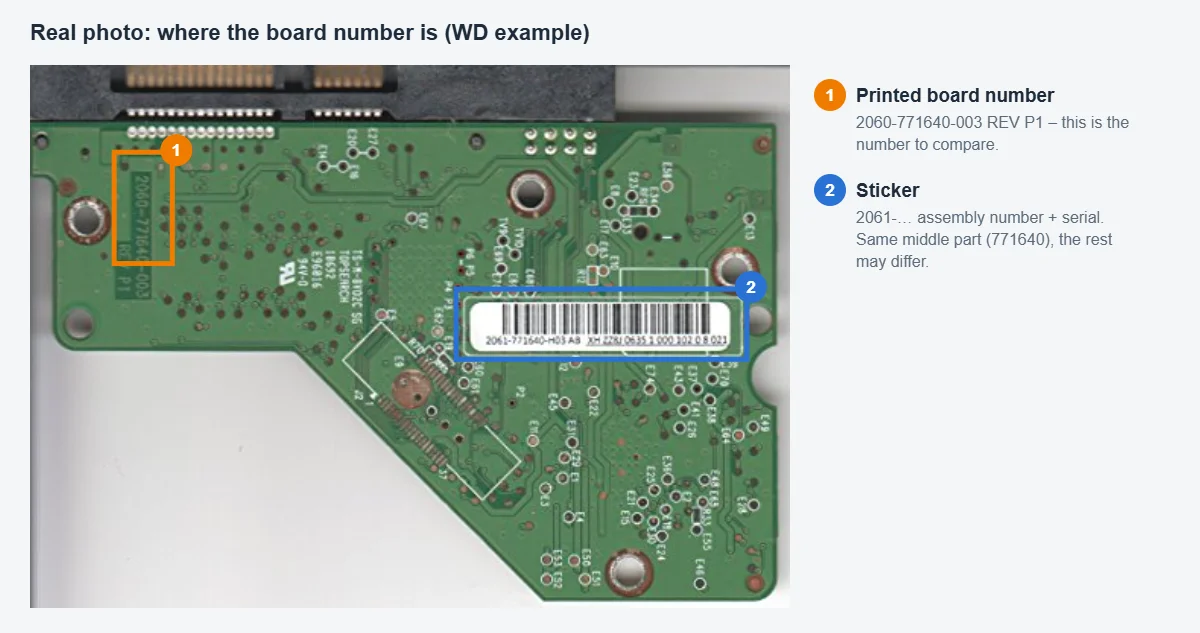
- Board number from the sticker or silkscreen, e.g.
2060-771945-002 REV Aor2060-800066-001 REV P1. The number and the revision should match. - Check the main chip marking (e.g.
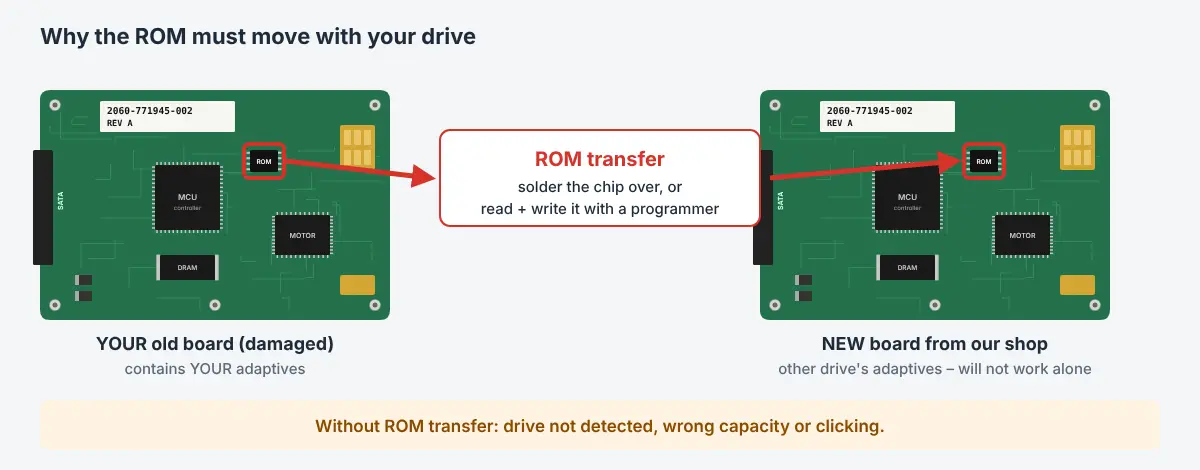
88i9045) and the motor controller – the same board number can exist with different chips. - The ROM has to move. WD boards carry drive-specific adaptive data in a ROM chip (8-pin flash, often labelled U12) or inside the main controller. A new board without the original ROM will usually not work and the drive may click or not be detected. Use our ROM transfer service if you cannot solder.
WD USB drives (My Passport, Elements, My Book)
Many WD USB drives have the USB port directly on the PCB (no SATA). Their data is often hardware-encrypted by the board. Then the original board – or at least its ROM and the encryption chip data – is needed to read the data. Search for the model printed on the bare drive, e.g. WD20NMVW-11AV3S3, not the retail name.

 English
 Deutsch
 Français
 Italiano
 Español