Seagate drives are considered the hardest to match: two drives with the same model can contain heads that do not work together. Use as many label values as possible.
What is on a Seagate label
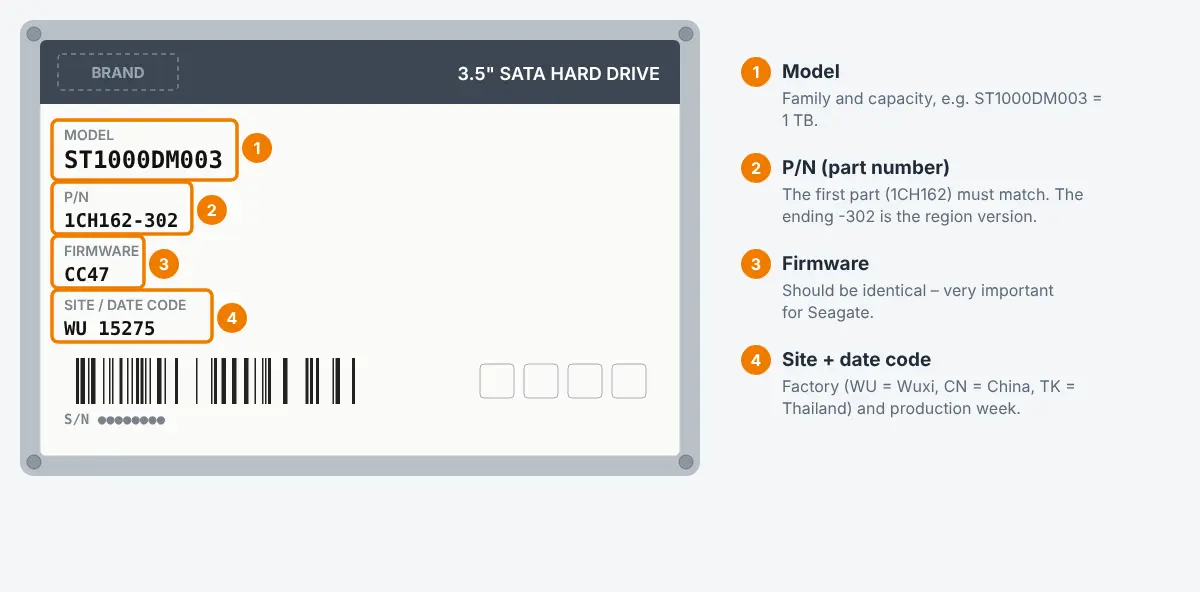
| Field | Example | Meaning |
|---|---|---|
| Model | ST2000DM008 | Model family and capacity. |
| P/N | 2GA164-500 | Part number. The first part (here 2GA164) describes the build; the last digits often the customer/region version. |
| Firmware | 0001, CC26, SC60 | Firmware version – must match as closely as possible. |
| Site code | WU, SU, TK, KRATSG | Factory. Prefer the same site. |
| Date code | 20514 | Seagate fiscal date code (year, week, day) – not a calendar date. Choose a donor with a code close to yours. |
| S/N | ZFL..., Z1E... | The first characters of the serial number describe the family/plant; labs often compare the first three. |
Donor drive for a head swap
- Same model, same P/N (at least the first six characters, ideally complete).
- Same site code and firmware, date code as close as possible.
- Same head count / head map. Even with all label values matching, some head stacks are not compatible – this is normal on Seagate and the reason labs keep several donors per model.
- Helium drives (Exos, IronWolf Pro large capacities) need donors from a very close production period.
PCB for a Seagate drive
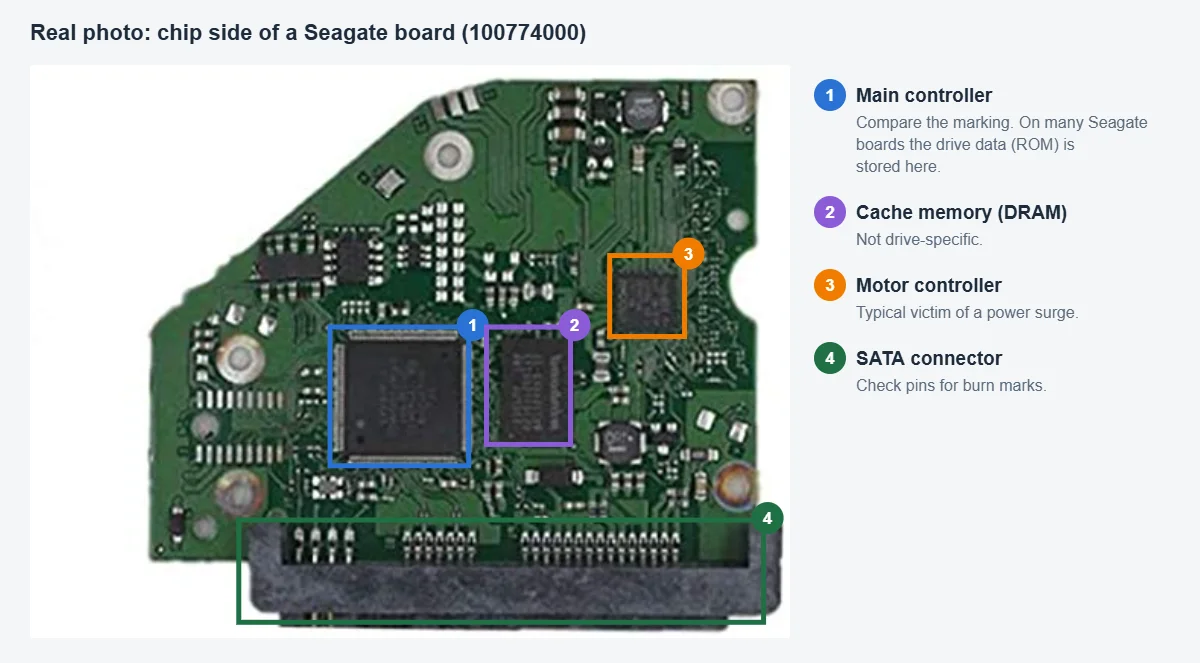
- Board number on the PCB, usually starting with
100, e.g.100774000 REV A. Number and revision should match. - The ROM (8-pin chip or inside the controller) contains drive-specific data and must be transferred from your old board. A Seagate board without the original ROM typically leads to a drive that spins but is not detected or reports a wrong capacity.
- Many Seagate failures after a power problem are a burnt TVS diode on the board – a lab can often fix this without replacing the board.
Samsung-built Seagate drives
Some models with Seagate label are Samsung designs inside (e.g. ST1000LM024, Spinpoint M8/M9T family). They follow the Samsung rules – a “normal” Seagate donor will not fit.

 English
 Deutsch
 Français
 Italiano
 Español